
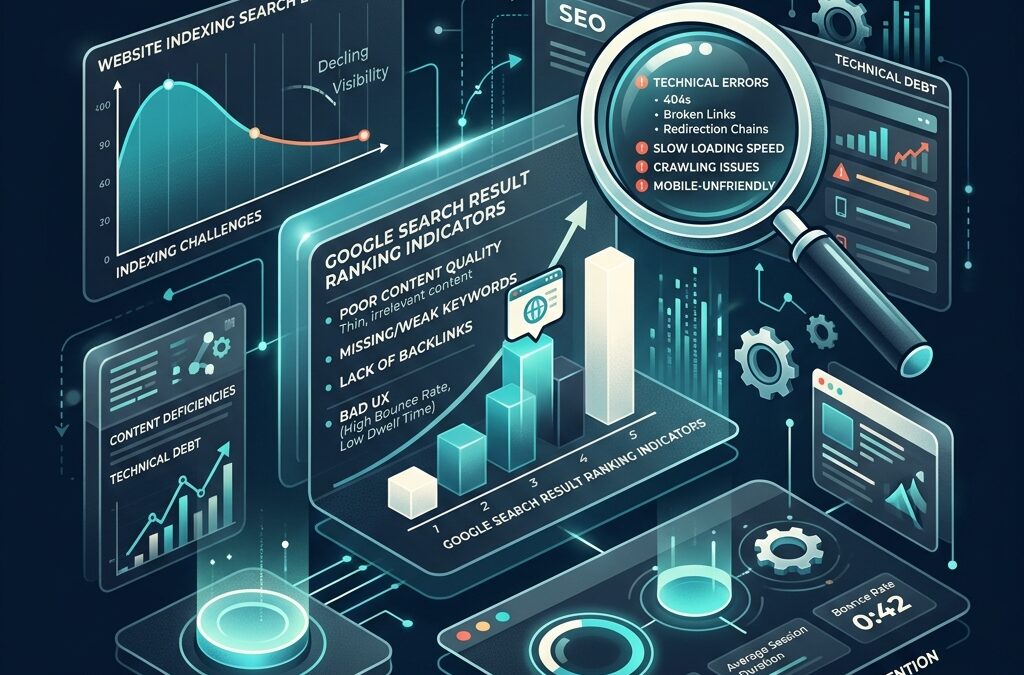
Quick Answer: Most websites never rank on Google because of technical indexation failures (such as robots.txt blocks or JavaScript render deadlocks), search intent mismatches, thin content failing Google’s E-E-A-T guidelines, or poor internal link architecture. To fix why a website is not ranking on Google, site owners must inspect Google Search Console indexation, align content with user intent, execute proper on-page SEO optimization, and build contextual internal links.
A B2B SaaS founder called me last month, visibly exhausted. His team had spent six months publishing two blog posts a week, redesigning their landing pages twice, and buying a $1,200 guest post package from a freelance agency.
When he logged into Google Search Console during our call, the performance graph was flat. Zero organic clicks. Not low traffic — literally zero.
“Harshvi,” he asked, “is Google broken for new websites, or are we just throwing money into a black hole?”
If you have ever stared at a flat performance graph asking why my website is not ranking on google, you are not alone. Over 90% of all published pages on the web receive zero traffic from Google search. Not because SEO is dead, and not because Google hates new websites.
Most websites never rank because their owners treat Google like a digital library catalog, while Google acts as an answer engine driven by user satisfaction, crawl efficiency, and topical authority.
When I run technical SEO audits for small businesses and D2C brands at Harshvi Digital Freelancer, the issue is almost never a lack of effort. It’s almost always a fundamental disconnect between how founders write content and how search algorithms evaluate quality.
Here are the five core structural reasons why my website is not ranking on google — and the exact sequence to fix them.
Contents
- 1 1. Technical Indexation Failure: Google Doesn't Know Your Pages Exist
- 2 2. Search Intent Mismatch: Writing What You Want to Say vs. What Users Want to Find
- 3 3. Thin Content & The “Helpful Content” Algorithm Penalty
- 4 4. Poor On-Page SEO & Keyword Distribution
- 5 5. Domain Authority & Internal Link Isolation
- 6 Step-by-Step Action Plan: How to Fix a Website That Isn’t Ranking
- 7 Frequently Asked Questions
- 8 Need Help Diagnosing Your Site's Ranking Bottlenecks?
1. Technical Indexation Failure: Google Doesn't Know Your Pages Exist
Before Google can rank your content for competitive keywords, three things must happen sequentially:
- Googlebot must discover your URL via an internal link or XML sitemap.
- Googlebot must crawl the page without encountering server errors or blocking directives.
- Google’s indexer must render and store your page content in its index.
If any single step in that chain fails, your page is invisible to search engines — no matter how brilliant your copy is.
When business owners ask me why website not ranking on google, the very first place I check isn’t the copy or the keywords. I open Google Search Console and inspect the “Pages” indexation report.
The Most Common Indexing Bottlenecks
DisallowDirectives inrobots.txt: Staging site flags left active after a site migration silently block search crawlers from indexing core revenue pages.- Missing or Misconfigured Canonical Tags: If your CMS generates duplicate URLs for category filters or parameter variations without self-referencing canonical tags, Google drops those pages into duplicate content clusters.
- JavaScript Rendering Deadlocks: Modern web frameworks (React, Vue, Next.js) often rely on client-side rendering. If your server fails to deliver pre-rendered HTML to crawlers, Googlebot sees a blank page and abandons the crawl.
If your URL isn’t indexed, ranking is mathematically impossible. Performing a thorough technical SEO audit is always the first prerequisite before spending money on content creation or link building.
2. Search Intent Mismatch: Writing What You Want to Say vs. What Users Want to Find
The single fastest way to guarantee your website stays buried on page four of Google search results is to ignore Search Intent. Search Intent is the underlying goal a user has when typing a query into a search bar. Google’s primary objective is to satisfy that intent in as few clicks as possible.
When founders write blog posts, they often default to self-referential topics: “Why Our Software Solution Is Reimagining Enterprise Email Automation.” However, when their target customers use search engines, they type practical, problem-focused queries: “How to reduce email bounce rates in HubSpot.”
The 4 Pillars of Search Intent
- Informational: User wants to learn something (why my website is not ranking on google).
- Navigational: User wants to reach a specific domain (Harshvi Digital Freelancer contact).
- Commercial Investigation: User is comparing options before buying (best digital marketing freelancer in India vs agency).
- Transactional: User is ready to purchase right now (hire freelance digital marketer).
If a user searches for an Informational topic and your page forces a hard sales pitch in the first paragraph, the user hits the back button in three seconds. Google tracks that short dwell time, interprets it as a negative user experience signal, and lowers your keyword ranking.
To rank on page one, match the exact format, depth, and angle of top-ranking results before trying to innovate.
3. Thin Content & The “Helpful Content” Algorithm Penalty
In the past, websites could rank by publishing 500-word articles crammed with repetitive keywords. That era is completely over.
With Google’s Helpful Content System updates, search algorithms aggressively demote websites that publish generic, shallow, or AI-generated filler content written primarily for search engines rather than humans.
If your post simply summarizes top search results without introducing a fresh perspective, original data, or real-world experience, Google has zero incentive to rank your page above existing authority sites.
What Google Looks For: E-E-A-T
Google evaluates content quality against E-E-A-T (Experience, Expertise, Authoritativeness, Trustworthiness):
- Experience: Does the author have hands-on, practical experience with the topic? (e.g., real client campaign numbers, actual code snippets, flopped experiment breakdowns).
- Expertise: Is the content written by a recognized SEO strategy consultant or subject matter expert?
- Authoritativeness: Do other industry publications cite and link to your website as a credible source?
- Trustworthiness: Is the site secure, transparent about ownership, and free from misleading claims?
If your content lacks real-world proof or original insights, Google classifies it as “thin content” — which suppresses organic rankings across your entire domain.
4. Poor On-Page SEO & Keyword Distribution
Even when founders write genuinely helpful content, they frequently fail to communicate topic relevance to search engines through proper on-page SEO optimization. Google relies on structured HTML elements to understand what a page is about and how information is hierarchicalized.
Common On-Page Errors That Kill Rankings
- Missing Keyword in
<h1>& Opening Paragraph: If your target phrase (why my website is not ranking on google) doesn’t appear naturally near the top of the page, crawlers struggle to assign primary relevance. - Unstructured Heading Architecture: Skipping header levels (e.g., jumping from
h1directly toh4) confuses search bots trying to map your content sections. - Keyword Stuffing vs. Semantic LSI Keywords: Repeating your primary keyword 50 times in a 1,000-word post gets your site flagged for spam. Instead, weave in semantic LSI terms like google search console indexation, organic search traffic decline, and technical seo audit.
- Vague Image Metadata: Uploading images named
image123.jpgwithout descriptivealttext misses a major opportunity to rank in Google Images and support overall page context.
5. Domain Authority & Internal Link Isolation
Finally, website rankings are heavily influenced by PageRank and internal link architecture. If your website is brand new, Google assigns it a low baseline authority. To compete for competitive keywords, you need a logical internal link structure that distributes PageRank from high-authority pages to new content.
The Isolated Page Problem (Orphan Pages)
Many business websites publish blog posts that are completely disconnected from the rest of the site structure. If a page has zero incoming internal links from your homepage, service pages, or category hubs, Google considers that page low priority and rarely crawls it.
Strategic Internal Linking Framework
- Link Upward: Every blog post should link to relevant core service or product pages using descriptive anchor text.
- Link Contextually: Connect related articles to form topical clusters (e.g., link an article about indexing to a guide on technical SEO audits).
- Earn Credible External Backlinks: Acquire natural, high-authority backlinks by publishing original research, industry data, or guest expert commentary.
Step-by-Step Action Plan: How to Fix a Website That Isn’t Ranking
If your organic search traffic is stalled, follow this sequential diagnostic workflow:
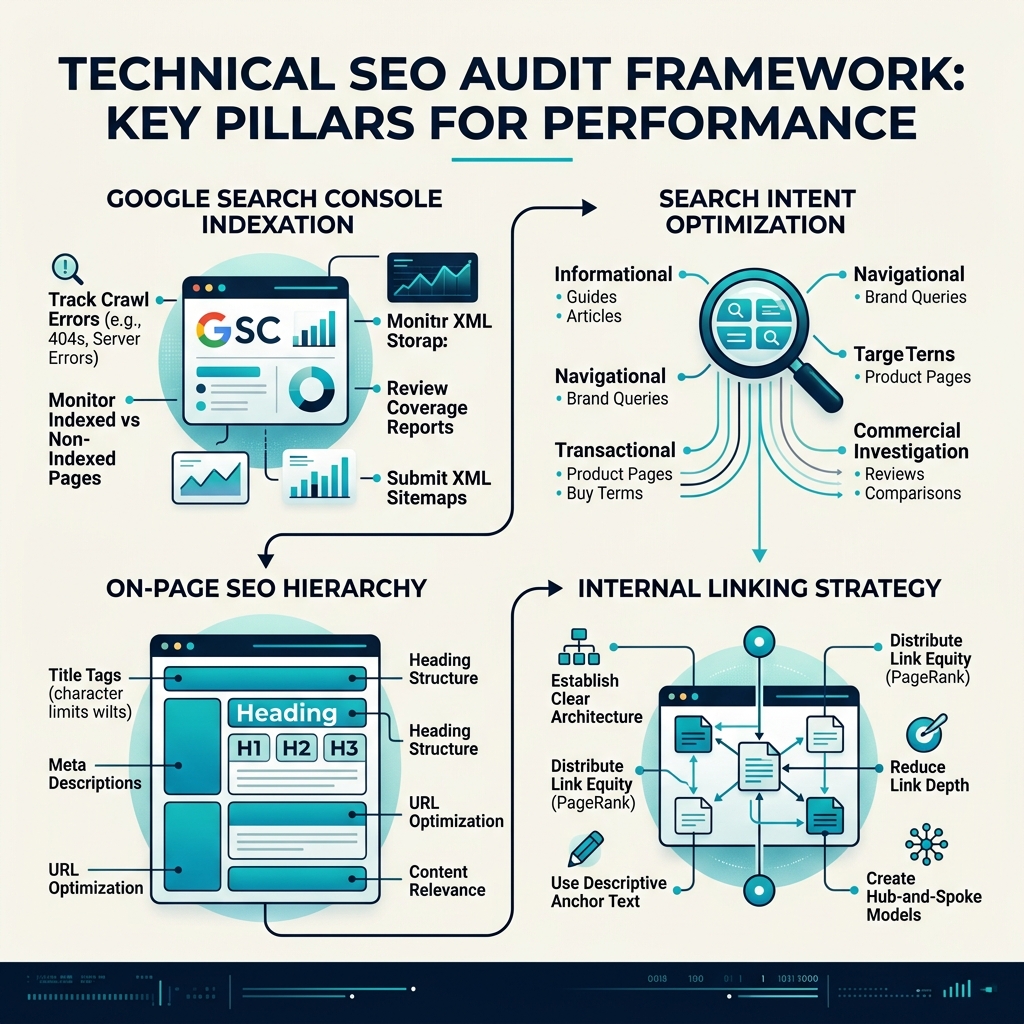
- Inspect Google Search Console: Verify that your core URLs are indexed without errors. Fix any
robots.txtblocks, canonical misconfigurations, or sitemap submission issues first. - Conduct a Search Intent Audit: Search your primary keyword in Google incognito mode. Compare your page format, depth, and structure against the top 3 ranking results.
- Inject First-Hand E-E-A-T Evidence: Replace generic advice with real client case studies, screenshots, and specific campaign metrics.
- Optimize On-Page Elements: Add target keywords to
title,meta description,h1, and opening 100 words. Enforce strict density limits (~10 uses per 1,000 words). - Build Internal Link Connections: Link at least 3-5 existing pages on your domain to your new article using keyword-rich anchor text.
Frequently Asked Questions
How long does it take for a new website to rank on Google?
For a brand new domain, it typically takes 3 to 6 months for Google to index and evaluate initial content quality, and 6 to 12 months to achieve top-page rankings for competitive commercial keywords — provided technical SEO and internal link structures are properly set up from day one.
Why is my website indexed but not ranking on Google?
If your URL is indexed but ranking past page 5, your page is likely suffering from search intent mismatch, thin content failing Google’s E-E-A-T evaluation, poor internal link support, or a lack of domain authority relative to top-ranking competitors.
How do I know if Google has indexed my website?
Perform a site:yourdomain.com search on Google or check the “Pages” indexation report inside your Google Search Console account. If your specific URL does not appear, your page is not indexed.
Need Help Diagnosing Your Site's Ranking Bottlenecks?
Fixing organic ranking issues requires looking past surface-level tips and executing a structured, data-backed strategy. As an independent digital marketing strategist at Harshvi Digital Freelancer, I work directly with business owners, D2C brands, and startups to resolve complex technical indexing issues, optimize content funnels, and build sustainable organic search traffic.
If you are ready to stop guessing why my website is not ranking on google and want a clear, hands-on growth roadmap, let's connect for a comprehensive technical SEO strategy audit.